
| Summary at a Glance What it is: A free, browser-based character generator using structured randomness — not a language model |
I’ve lost count of how many times I’ve sat in front of a blank document needing a side character in a hurry — someone with enough texture to feel real but not so much history I’d have to maintain them across three chapters. Most tools either give you a generic “adventurer with a tragic past” or spiral into LLM purple prose that sounds like a college application essay.
Perchance’s AI character generator sits in a different category entirely. It’s not trying to write your character’s story — it’s handing you raw material you then shape. That distinction matters more than it sounds.
This guide covers how the generator actually works, the syntax that separates useful outputs from junk outputs, the weighted randomization system that most users never discover, the community templates worth knowing, a real stress test to show you what to do after you generate, and the privacy and export realities no one mentions.
What Perchance AI Character Generator Actually Is
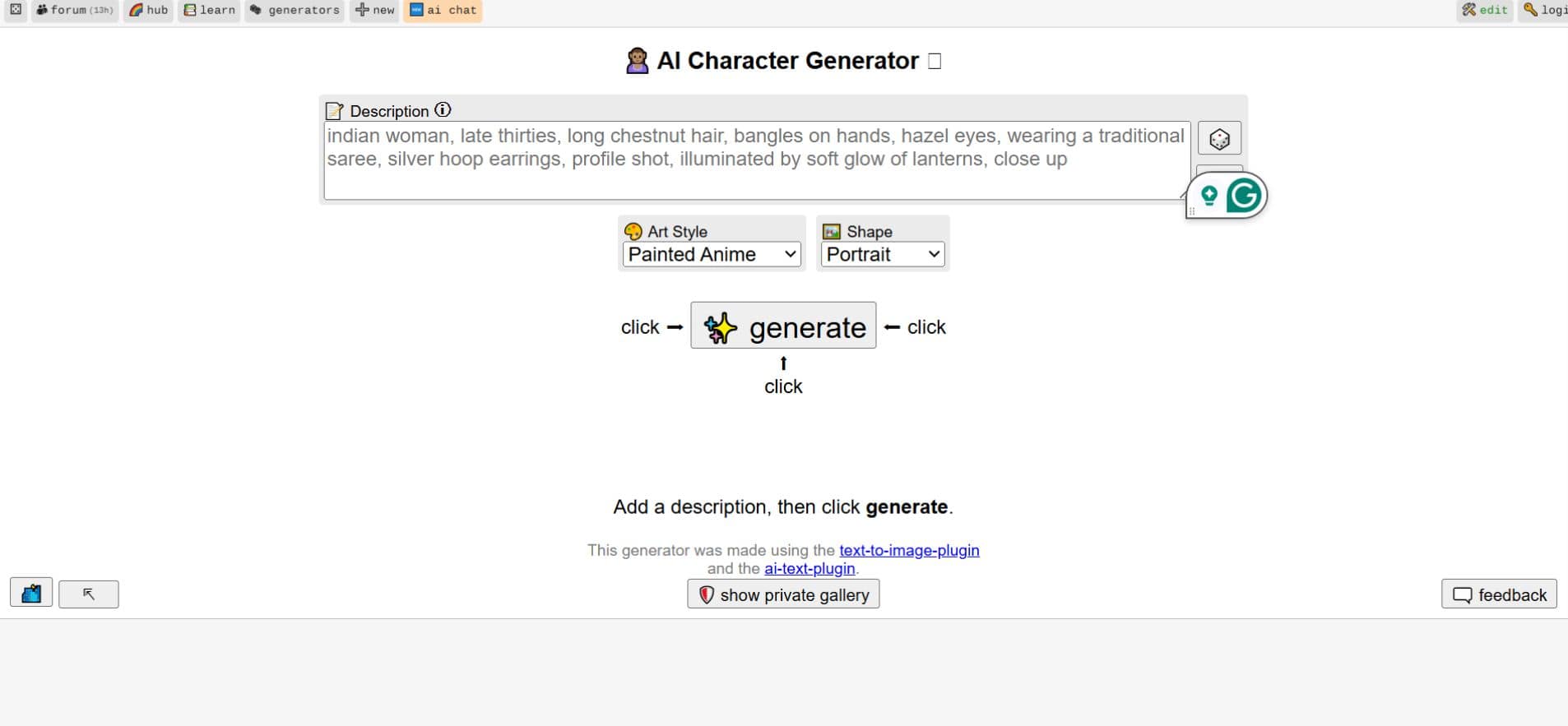
Perchance is a browser-based platform where users build, share, and fork random generators using a lightweight templating language. The character generator specifically pulls from community-defined lists — names, personality traits, occupations, physical descriptors, backstory fragments — and assembles them into character profiles on demand.
It does not work like ChatGPT. That difference has real practical consequences:
| Perchance Character Generator | ChatGPT / LLM Prompting | |
|---|---|---|
| Output type | Discrete variable selections | Narrative prose generation |
| Author control | 100% — you define every list | Probabilistic — model interprets intent |
| Consistency | Same structure, randomized fills | Varies with phrasing and model state |
| Content freedom | No filters on your own generators | Safety filters on outputs |
| Prose quality | Structured, not florid | Narrative-driven, prone to “purple prose” |
| Speed | Instant | 5–30 seconds |
| Customization | Fork and edit any template | Prompt engineering only |
The Perchance NSFW image generator occupies a separate but related part of the platform — worth understanding as context for how Perchance handles content freedom more broadly compared to mainstream AI tools.
For character work specifically, the Perchance approach gives you exactly the range you define. Nothing more, nothing fluffy, nothing invented by a model following narrative conventions you didn’t ask for.
The Core Syntax You Actually Need
The official Perchance tutorial covers the basics well, but most users stop there and miss the features that make the generator genuinely powerful.
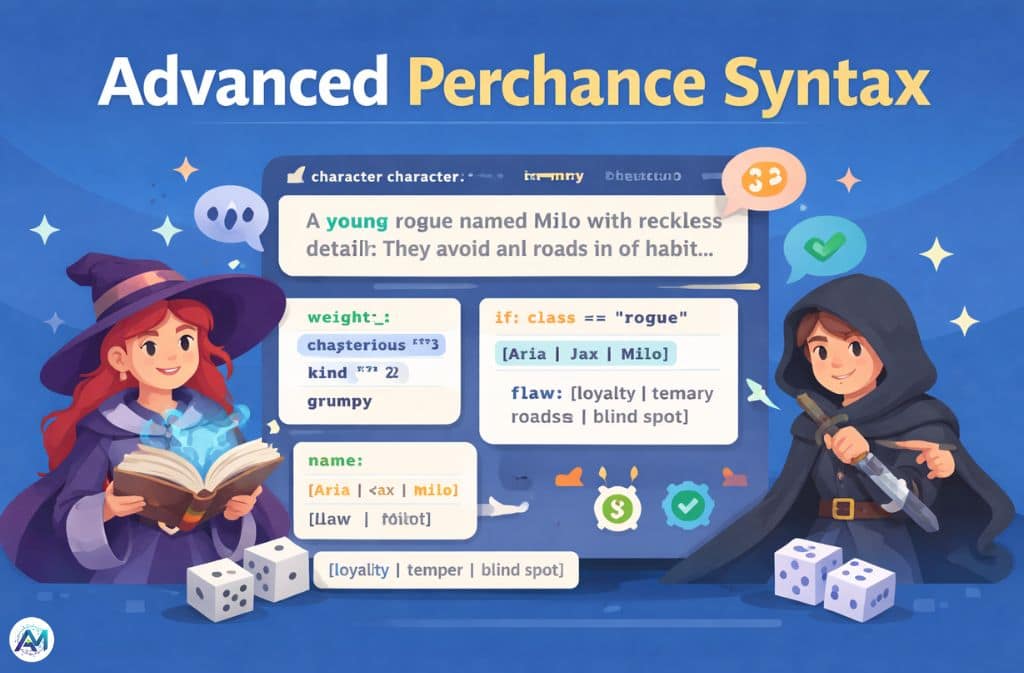
Basic List Syntax
The pipe character creates a random choice from a set:
[warrior|rogue|mage|cleric]Each option has equal probability of selection.
Nested Variables
Variables reference other lists, building layered outputs from simple parts:
output
  A {age} {class} named {name} with {trait} and {flaw}.

age
  young
  middle-aged
  weathered

class
  [warrior|rogue|mage|cleric]

name
  [Aria|Jax|Milo|Vera|Sable]

trait
  reckless bravery fueled by a need to prove something
  quiet competence masking deep uncertainty
  easy charm hiding a calculating interior

flaw
  loyalty to the wrong people
  a temper they've never learned to control
  a blind spot for flattery
Every time you hit generate, the engine pulls one entry from each list and assembles the output line.
Weighted Randomization — The Feature Most Users Skip
The ^ symbol assigns weight to individual options. Higher weight means higher probability of selection:
character_trait
  mysterious^3
  kind^2
  grumpy
With these weights, “mysterious” appears three times as often as “grumpy,” and “kind” appears twice as often. This transforms the generator from a dice roll into an instrument for expressing authorial intent — you can shape the feel of outputs without eliminating variety.
Practical use: if you’re building a morally grey fantasy world, weight darker personality traits higher. If you want warmth in most NPCs with occasional exceptions, weight accordingly. The control is granular and immediate.
Conditional Logic and State
For advanced users, Perchance supports conditional branching that gives the generator a form of memory:
if: {class} == "rogue"
  detail: They avoid main roads out of habit, even when there's no reason to.
else
  detail: They have an opinion about proper equipment maintenance that they share unprompted.
This means outputs can be internally consistent — a rogue doesn’t get the paladin’s detail, a mage doesn’t get the warrior’s. Once you start using conditionals, the character sheets stop feeling like random word salads and start feeling like they were written with intent.
The Community Templates Worth Using
The Perchance community has built hundreds of character generators. Three that regularly come up in writer and GM circles:
AI Character Description Generator — Full character descriptions including personality, appearance, and backstory across fantasy, D&D, anime, slice-of-life, and realistic styles. The multi-genre support makes it the most versatile starting point.
DnD Character Generator — Specifically built for fifth edition sensibilities. Outputs class, race, background, and personality traits in a format that maps directly to a character sheet. Game masters use this for populating a town’s worth of NPCs in an afternoon.
Fantasy Character Creator — Work-in-progress community build that combines keyword-based generation with image output. Covers fantasy, D&D, anime, and slice-of-life in a single template. The WIP status means it gets updated regularly, which is both a feature and occasionally a frustration.
To browse everything the community has built, the Perchance Hub is the actual discovery layer — community-run, regularly updated, organized by category.
One genuinely useful habit: when you find a template that’s almost right, don’t just use it — fork it. The fork button creates your own editable copy. You keep the structure, change the lists, and end up with something precisely calibrated to your project. I’ve forked the same base D&D template four times for different campaign tones. Each fork took about ten minutes and solved problems I’d have spent hours prompt-engineering around in a chatbot.
The Export Problem (What Nobody Mentions)
Here’s something that trips up new users: Perchance has no native save system. There’s no account syncing your outputs, no export button that sends results to a file, no history to scroll back through.
The page can also refresh or reset after extended inactivity, which means a genuinely interesting character you generated twenty minutes ago can disappear if you navigate away.
The practical workflow:
The moment you get an output you want to keep, copy the full text immediately. From there:
- Paste into a Notion database with a “Characters” table — you get search, tags, and the ability to add notes alongside the generated text
- Drop into an Obsidian vault with a
characters/folder — works offline, links to other notes, no subscription needed - Use a plain
characters.txtfile if you want zero friction — simple but reliable
Some writers I know keep a running document open in a split window specifically for this: generate on the left, paste-and-annotate on the right. It sounds clunky but it becomes muscle memory fast.
The no-login architecture is genuinely good for privacy. Everything runs in your browser through client-side JavaScript — nothing leaves your device, no generation history stored on servers, no telemetry on what characters you’re building. The tradeoff is that the lack of an account means no persistence. You are the save system.
One caveat worth knowing: If you use Perchance’s Community Gallery or publish a generator publicly, your generator code becomes visible to other users who can view and fork it. Your generated outputs remain local, but your generator logic becomes part of the shared ecosystem. Keep private creative systems unlisted.
Perchance vs ChatGPT: Which One Belongs in Your Workflow
This isn’t really an either/or. They solve different problems.
Use Perchance when you need:
- Side characters, NPCs, and background figures who need enough texture to feel real but not so much that they slow down the scene
- Consistent structural outputs across a large cast (same format every time, different content)
- A generator you can fork and customize without prompt engineering
- Full content control with no filter interruptions
Use a language model when you need:
- Narrative prose with a specific voice
- A character’s internal monologue or emotional reasoning
- Dialogue that sounds like a real person in a specific register
- Deep backstory development for main characters
The most efficient workflow I’ve found: generate the raw skeleton in Perchance — name, class, core trait, flaw, one physical detail — then take that output into a language model and ask it to write a single paragraph from that character’s perspective, in their own voice. Perchance provides the architecture. The LLM furnishes the room. Neither tool does both jobs well.
The 2026 Character Stress Test
Generating a character is the easy part. The harder question is whether the output holds up under pressure — whether it’s actually usable or just a list of words that sounds like a character.
Here’s a stress test worth running on any generated character before you commit to using them in a scene.
Take a character the generator produces. For this example: Milo, a weathered rogue, quiet competence masking deep uncertainty, flaw: loyalty to the wrong people.
Ask yourself these three questions:
1. What does this character do when they lose their wallet?
Milo doesn’t panic visibly — quiet competence means the reaction goes inward. But the wallet probably has something in it they didn’t want anyone to find. They retrace every step from the past hour. They don’t ask for help. When they find it was a pickpocket, they don’t report it — they figure out who did it themselves, because they understand that world better than the official one.
That’s a scene. That’s a character making a decision that reveals something.
2. What does this character lie about automatically, without thinking?
Their uncertainty. Anyone who asks “are you okay with this?” gets a confident yes regardless of the honest answer. The flaw (loyalty to the wrong people) likely comes from this same pattern — committing before they’ve finished deciding, because uncertainty is the thing they never let show.
3. What would break them differently than it would break someone else?
Not physical danger — that’s familiar. What breaks Milo is the moment their loyalty is finally, undeniably shown to have been misplaced. Not betrayal from an enemy — betrayal from the person they chose when they knew better but chose anyway.
If a generated character can answer all three of those questions with specificity, they’re usable. If the answers feel generic, go back and regenerate with tighter lists — add more specific flaws, more specific backstory fragments, less generic trait language.
The generator gives you the input. These questions test whether it’s actually output worth using.
Privacy in 2026: What Actually Happens to Your Data
Since Perchance runs on client-side JavaScript, the character generation itself produces nothing on their servers. Your prompts, your outputs, your generator logic — none of it gets transmitted during generation. This is a genuine privacy advantage over any tool that processes requests on a remote server.
A few edge cases worth knowing:
- Published generators become publicly visible and forkable by other users
- The Community Gallery (for image-adjacent generators) applies a moderation layer — images generated through gallery-linked generators may pass through server-side checks before display
- Account creation (optional, not required) does enable server-side storage of your generator code
- Browser storage is used as a backup for your generator code — local to your device, not synced
For character generation specifically, the typical workflow (visit the page, generate, copy output, close) leaves no trace on Perchance’s infrastructure. If privacy matters to your workflow, this is one of the few free creative tools where that claim actually holds up technically.
2026 Pro Tips
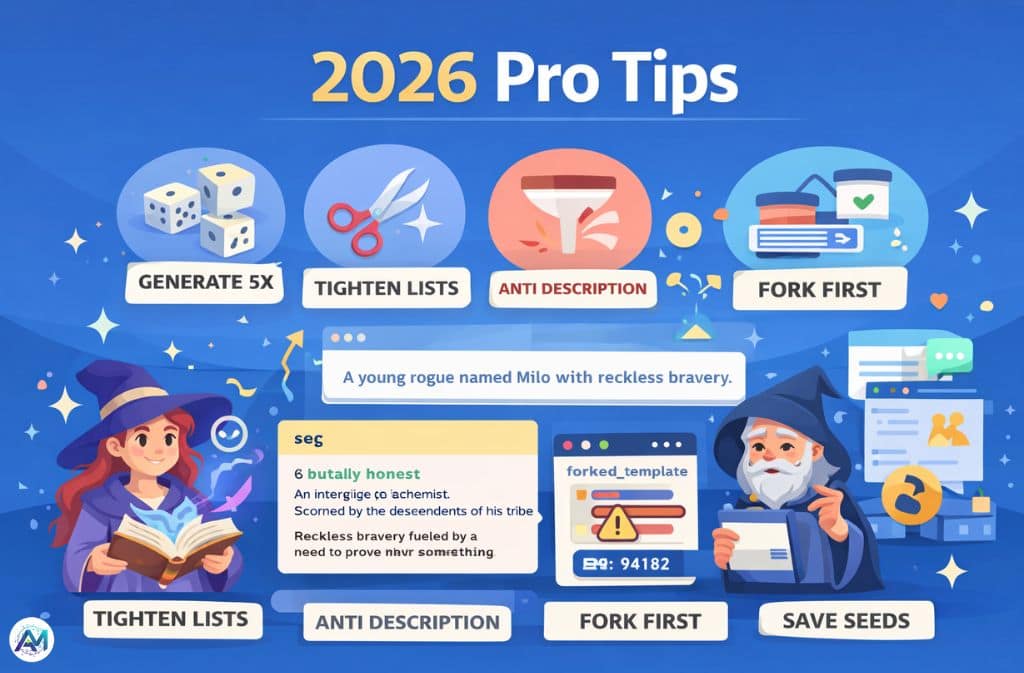
Hit generate five times before you start filtering. I almost always do this when I’m stuck — not to pick the best output immediately, but to see the shape of the possibility space. The weird end of the spectrum often contains the most usable raw material. A character who initially looks like a mistake can become more interesting than the obviously-good result from the first roll.
Tighten your lists before you blame the tool. When outputs feel generic, the lists are usually too short and too predictable. “brave” as a personality trait produces generic characters. “reckless bravery fueled by a need to prove their father wrong” produces characters. The specificity lives in your list definitions, not in the generator logic.
Use the anti-description field aggressively. The anti-description (negative prompt) field removes outputs that match certain terms. If you’re building a morally complex cast and keep getting “noble hero” types, list those terms as anti-descriptions. It costs nothing and reshapes the output distribution immediately.
Fork before you customize. Never edit a popular community template directly from your browser session without forking first. If the original creator updates their generator, your session-based changes disappear. Fork, give it a distinct name, then customize.
Save the seed when outputs are good. Some Perchance generator configurations expose a numeric seed value. When you get an output you like, note the seed before you regenerate — it lets you reproduce that exact output later.
FAQs
Q. Is Perchance AI free?
Yes—Perchance AI is completely free to use.
You don’t need an account, there are no daily generation limits, and no watermarks on outputs.
- Runs directly in your browser
- No signup required
- Supported by community-hosted generators and ads
👉 This makes it one of the few AI character generators with no login and unlimited usage.
Q. Does Perchance store my character outputs?
No—Perchance does not store your generated characters.
All generation happens locally in your browser (client-side).
- Outputs are not saved on servers
- No built-in history or cloud storage
- You must copy results manually
Important: Once you refresh or close the tab, your generated characters are lost.
Q. Can I use Perchance AI characters commercially?
In most cases, yes—you can use Perchance-generated characters commercially.
- Outputs are typically free to use
- No default copyright restrictions on generated text
However:
- Some community generators may include custom licenses
- Always check the generator’s description if using it for products, games, or publishing
👉 Safe rule: Treat outputs as yours, but verify template terms when needed.
Q. How is Perchance different from ChatGPT for character generation?
Perchance and tools like ChatGPT work very differently.
Perchance:
- Uses structured lists and logic
- Produces fast, repeatable outputs
- More control over format and randomness
ChatGPT:
- Generates narrative text using AI
- Better for storytelling and depth
- Less predictable structure
👉 Best approach (2026):
Use Perchance for idea generation, then refine with ChatGPT.
Q. Can I create my own AI character generator on Perchance?
Yes—you can build your own generator directly in the browser.
- No account required to start
- Uses simple list-based syntax
- Most users learn the basics in under 20 minutes
You can also:
- Fork existing community generators
- Customize traits, logic, and outputs
👉 This flexibility is why Perchance is popular for custom AI character generators.
Q. What happens when I close the Perchance tab?
All generated outputs are lost when you close or refresh the tab.
- Outputs are not saved automatically
- No history feature
However:
- Your edited generator code may be stored in browser local storage as a backup
👉 Always copy important characters before leaving the page.
Q. Is Perchance AI private and safe to use?
Yes—Perchance is generally private and safe.
- No login required
- Runs locally in your browser
- Minimal data collection
However:
- Public generators may contain shared scripts
- Avoid entering sensitive or personal information
Q. What is the best way to get better results in Perchance AI?
Use structured prompts and controlled randomness.
Best practices:
- Add genre, role, and conflict
- Generate multiple variations
- Combine the best outputs manually
👉 This approach produces stronger results than single-click generation.
Related: Perchance Content Warning Fix (2026): Why It Happens & How to Remove It