
A few years ago, generating professional-looking digital art meant mastering Photoshop, owning expensive hardware, or commissioning an artist. Today, you can describe a scene in plain English and watch something appear in seconds. That shift is real, and platforms like OpenDream AI sit near the center of it.
But with dozens of AI image generators competing for attention in 2026, the questions that matter aren’t just “what is it” — they’re sharper: How does the generation actually work? What are the real limits of the free tier? And when does OpenDream pull ahead of (or fall behind) tools like Midjourney or Stable Diffusion?
This guide answers those questions practically.
What Is OpenDream AI Art?
OpenDream is a browser-based AI image generator that creates digital artwork from text prompts using machine-learning image generation models. Users type a description of what they want to see, and the platform produces a new image that matches that description — no design skills or local hardware required.
A prompt like:
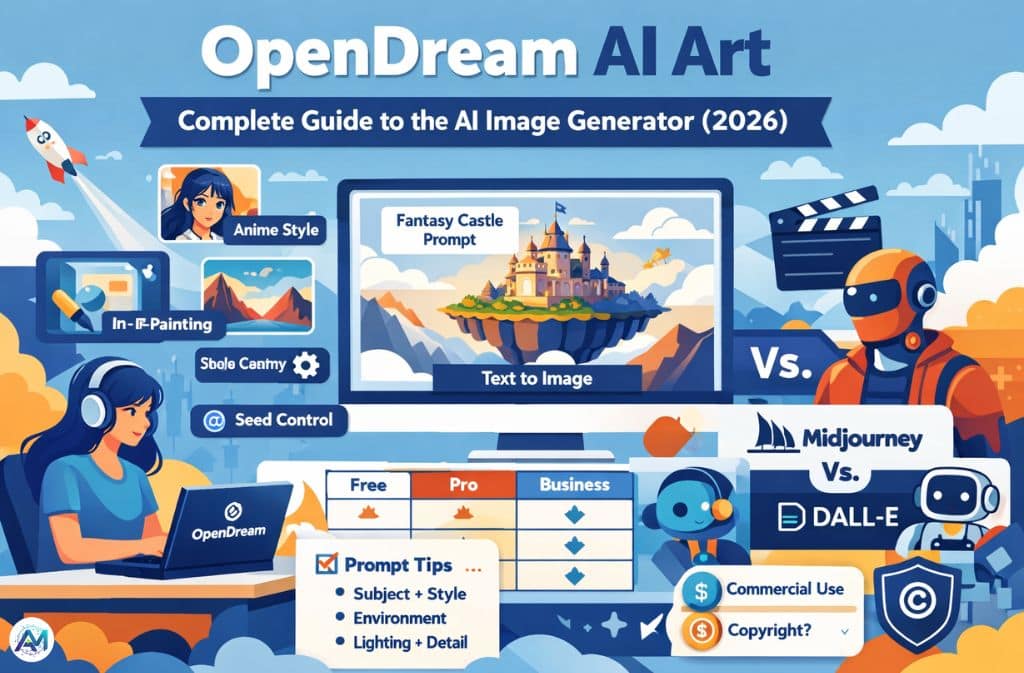
“Fantasy castle on a floating island, cinematic lighting, digital painting”
generates a completely original image within seconds, running on cloud-hosted A100 GPUs rather than anything on your own machine.
OpenDream runs four underlying AI models: Dreamlike Photoreal 2.0 for lifelike photographic output, Dreamlike Anime 1.0 for stylized anime art, Stable Diffusion 2.1 for versatile general-purpose generation, and Deliberate for more experimental and artistic results. Free-tier users access the first two; paid plans unlock all four. Every image generated — across all tiers — is copyright-free for personal and commercial use without restrictions.
How OpenDream AI Art Generation Works
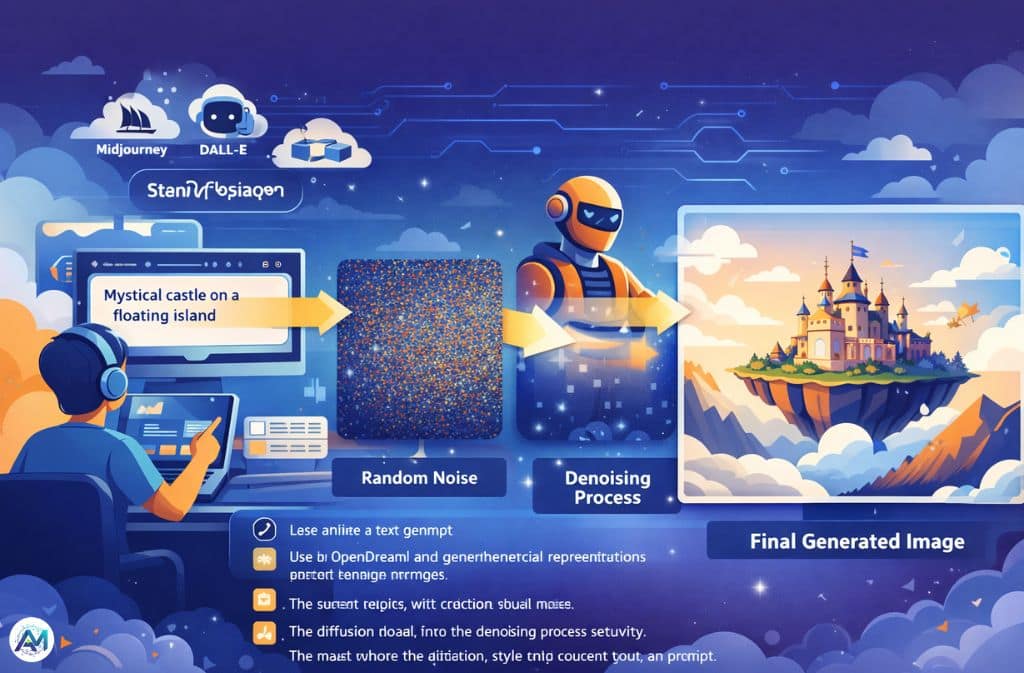
OpenDream generates images using diffusion-based machine learning models — a class of generative AI that has become the industry standard for image synthesis, powering everything from DALL-E to Midjourney to Stable Diffusion itself.
The core idea, as IBM’s research team explains it, is borrowed from physics: imagine a drop of ink spreading through water until it’s indistinguishable from noise. A diffusion model learns to run that process in reverse — starting from random visual noise and iteratively removing it, step by step, until a coherent image emerges that matches the input text.
In practice, the generation process looks like this:
- User enters a text prompt
- The AI converts the text into mathematical representations using a language encoder
- The system begins with random visual noise
- The diffusion model runs the denoising process iteratively
- The result reflects the structure, style, and content described in the prompt
This whole sequence completes in seconds thanks to optimized cloud infrastructure. The reason prompts matter so much is embedded in step 2 — the richer and more specific the text, the more precise the mathematical target the denoising process works toward.
Key Features That Actually Matter (2026)
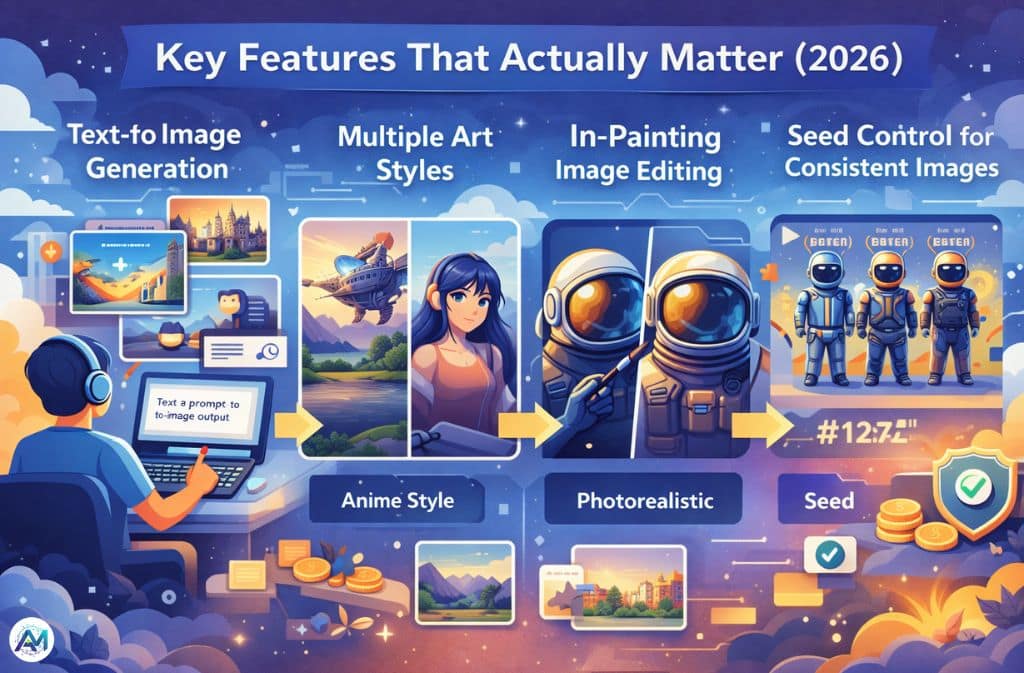
Text-to-Image Generation
The core function. Users generate artwork across a wide range of categories — fantasy landscapes, anime characters, sci-fi environments, realistic portraits, product mockups, concept art — by describing what they want. The platform queues up to 20 images and generates up to three simultaneously for paid subscribers, one at a time for free users.
Multiple Art Styles
Style keywords in the prompt guide the AI’s visual direction. Commonly effective examples include photorealistic, anime style, cinematic lighting, watercolor illustration, digital painting, and cyberpunk aesthetics. Adding a style term to any prompt is one of the highest-impact adjustments available.
Example:
“Steampunk airship flying over a Victorian city, watercolor style”
In-Painting Image Editing
Rather than regenerating an entire image when something looks wrong, in-painting lets users select a specific region — an awkward hand, imperfect eyes, poorly rendered background detail — and regenerate just that section. The rest of the image stays intact.
For concept artists refining detailed work, this saves significant time. Regenerating a full image to fix one element wastes generation credits; in-painting targets the problem directly.
Seed Control for Consistent Images
A seed is a numerical value that controls the random starting point of the diffusion process. Keep it constant across prompts and you get variations that share the same underlying composition. Change the prompt while holding the seed and you can explore how the same structural layout renders across different styles or subjects.
Seed control is genuinely useful for recurring characters, consistent brand visuals, comic storyboards, and any workflow that needs visual continuity across multiple generated images.
No Watermarks, Commercial Rights Included
Every image generated on OpenDream — including on the free plan — comes without watermarks and with full commercial usage rights. This is not universal across AI image platforms, and it’s worth noting explicitly for creators who plan to use outputs in commercial projects.
How to Create AI Art with OpenDream (Step-by-Step)
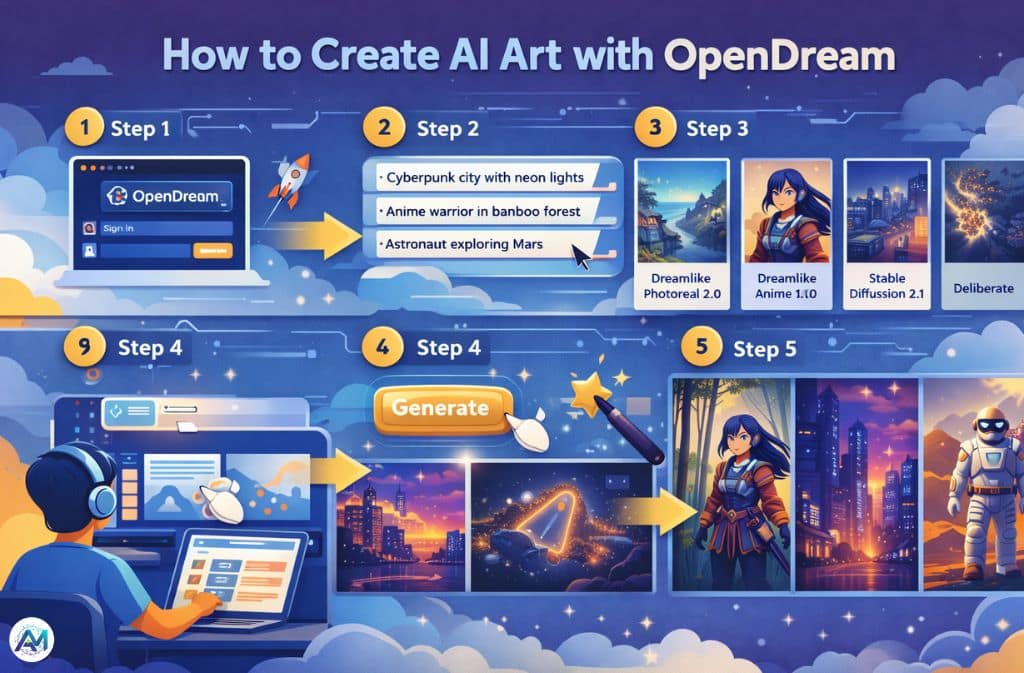
Step 1: Visit opendream.ai and sign in.
Step 2: Write a text prompt describing the image you want.
Strong starting examples:
- “Cyberpunk city at night with neon lights, digital painting”
- “Anime warrior standing in a bamboo forest, golden hour lighting”
- “Realistic astronaut exploring Mars, cinematic, ultra-detailed”
Step 3: Select a model. Dreamlike Photoreal 2.0 for realistic output; Dreamlike Anime 1.0 for stylized characters; Stable Diffusion 2.1 for general creative work; Deliberate for experimental styles.
Step 4: Click generate. The platform processes the prompt and returns results, typically within seconds.
Step 5: Refine. If the output isn’t quite right, adjust the prompt, regenerate variations, or use in-painting to fix specific regions.
Prompt Writing Framework for Better Results
Prompt engineering isn’t a technical skill so much as a habit of being specific. The single biggest improvement most beginners can make is replacing vague nouns with structured descriptions.
The 5-Part Prompt Formula:
Subject + Style + Environment + Lighting + Detail level
Example:
“Samurai warrior, anime style, bamboo forest, golden sunset lighting, ultra-detailed”
Each element gives the AI more precise guidance. Subject tells it what to draw. Style points toward a visual aesthetic. Environment establishes context. Lighting controls mood and realism. Detail level affects how much texture and refinement the model attempts.
Short prompts return generic outputs. Structured prompts return images that look like something someone actually imagined.
OpenDream AI Pricing (Verified 2026)
OpenDream uses a credit-based freemium model. Each image generated costs 2 credits; generating 4 images at once costs 8 credits.
| Plan | Price | Credits | Models Available |
|---|---|---|---|
| Free | $0/month | 24 daily credits | 2 models |
| Core | ~$12/month | 3,000 credits | All 4 models + parallel generation |
| Pro | ~$24/month | 12,000 credits | All 4 models + priority + advanced features |
Annual billing saves 20% across paid plans. Refunds are available if less than 2% of purchased credits have been used. Payments process through Stripe; Apple Pay and Google Pay are accepted.
For current plan details, the official pricing page has the most accurate information.
OpenDream vs Other AI Image Generators
| Tool | Strength | Best For |
|---|---|---|
| OpenDream AI | Browser-based, commercial rights included, four models | Casual creators, commercial use |
| Midjourney | Highly artistic, strong aesthetic output | Concept artists, professional illustrations |
| Stable Diffusion | Deep customization, open-source | Developers, power users |
| DALL-E | Natural language prompts, beginner-friendly | First-time users |
| Perchance AI Image Generator | Fewer content restrictions, no account required for basic use | Creators needing unrestricted generation |
The right tool depends on what you’re actually making. OpenDream’s combination of commercial rights, multiple model options, and browser accessibility makes it well-suited for content creators and small commercial projects. Midjourney consistently produces more visually polished results for artistic work. Stable Diffusion wins on customization depth but requires significantly more setup.
Common Mistakes When Using AI Image Generators
Vague prompts are the most common issue by far.
| Bad | Better |
|---|---|
| “nice image” | “Futuristic city skyline at sunset, cyberpunk style, neon reflections, cinematic lighting” |
| “a person” | “Elderly woman in a Japanese tea garden, soft morning light, watercolor style, detailed” |
Beyond prompt vagueness, two other patterns consistently produce weak results:
Skipping style keywords. Adding just one style term — photorealistic, anime style, cinematic, watercolor — produces a meaningfully different image. Without it, the model defaults to its own interpretation, which often lacks visual personality.
Overloading the prompt. Ten competing instructions tend to confuse the model rather than focus it. Three to five clear, compatible elements usually outperform longer, contradictory descriptions.
Ethical and Copyright Considerations
AI-generated images sit in an evolving legal landscape. As of 2026, most jurisdictions hold that pure AI-generated images without meaningful human creative input may not qualify for copyright protection. Courts have consistently required evidence of human authorship — specific creative decisions, substantial editing, original selection and arrangement — rather than just prompting.
This matters practically. OpenDream grants commercial usage rights to images generated on its platform. But copyright protection for those images in downstream use — whether you can claim ownership against another person who reproduces them — remains jurisdiction-dependent and legally unsettled.
Many creators combine AI output with manual editing specifically to establish a clearer basis for copyright claims.
Training data transparency is a separate but related concern. Diffusion models learn from large datasets of existing images, and questions about consent and attribution for training data remain unresolved across the industry.
Future Trends in AI Image Generation
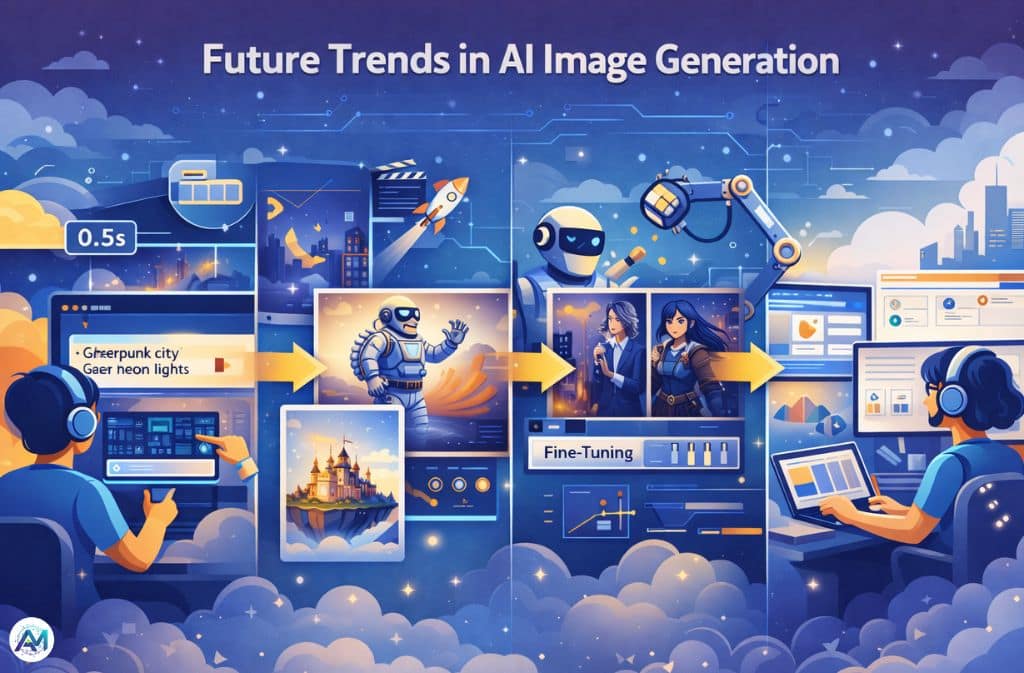
Real-time generation is the near-term direction — several platforms are approaching near-instantaneous output rather than the few-second delays that are still standard in 2026.
Image-to-video expansion is already underway. OpenDream’s model stack overlaps with infrastructure being used for short-form video generation, and most major platforms are treating video as the next tier of the same capability.
Personalized model training is growing. Users training models on their own artwork or photographic style — rather than relying on generic output — is becoming more accessible as fine-tuning tools improve.
Integration into design workflows is accelerating. AI image generation is no longer a standalone tool for most professional users; it’s being embedded directly into marketing platforms, design software, and social media creation tools.
FAQs
Q. What is OpenDream AI art?
OpenDream AI art refers to images generated using the OpenDream platform, which runs diffusion-based machine learning models to create visuals from written text prompts.
Q. Is OpenDream AI art free?
Yes. The free tier includes 24 daily credits and access to two models. Paid plans start at approximately $12/month and expand credit limits, model access, and parallel generation.
Q. How does OpenDream AI generate images?
It uses diffusion-based models that start with random visual noise and iteratively remove that noise, guided by mathematical representations of the text prompt, until a coherent image emerges.
Q. Can you use OpenDream AI images commercially?
Yes. All images generated on OpenDream are watermark-free and copyright-free for personal and commercial use across all plan tiers.
Q. What is the best prompt for OpenDream AI art?
A good prompt includes a clear subject, a style direction, an environment or setting, lighting conditions, and a detail level. Example: “Futuristic city skyline, cyberpunk style, neon lights, rainy night, cinematic lighting, ultra-detailed.”
Q. Which AI models does OpenDream use?
Dreamlike Photoreal 2.0, Dreamlike Anime 1.0, Stable Diffusion 2.1, and Deliberate. Free accounts access the first two; all four are available on paid plans.
Conclusion
OpenDream AI sits in a practical middle ground in the 2026 image generation landscape. It’s accessible without any local setup, generates across four distinct model types, and includes commercial rights on every plan including the free tier. It’s not the most artistically ambitious option — Midjourney produces consistently stronger results for polished concept art — but for creators who need functional, commercially usable images without a steep learning curve or expensive subscriptions, it’s a solid starting point.
The single most impactful skill to develop with any AI image generator is prompt structure. Better prompts return better images on every platform — and that skill transfers.
Related: Joyland AI: The Viral AI Chat World Everyone’s Talking About