
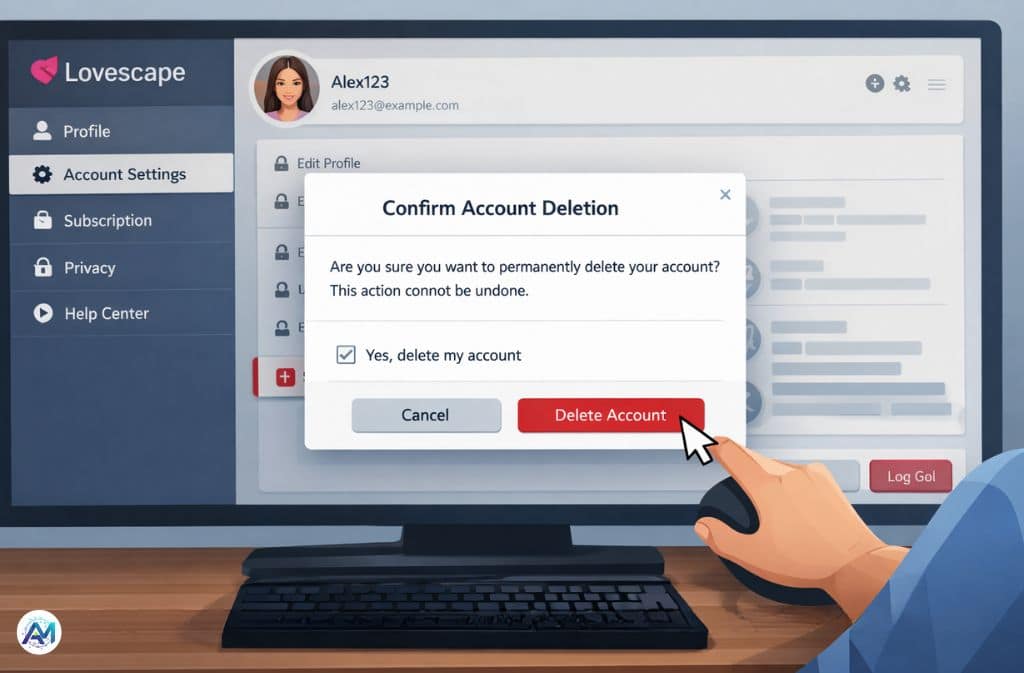
AI companion apps are easy to join — but leaving them isn’t always as simple. Many users sign up out of curiosity, try chatting for a few days, and later realize they want their data removed, subscriptions canceled, or conversations erased permanently.
If you’re searching for how to delete Lovescape AI account, you’re likely trying to protect your privacy, stop billing, or simply move on from AI companion platforms. This updated 2026 guide walks you through the exact deletion steps, explains hidden billing risks, and shows how to confirm your data is actually removed.
Unlike most tutorials floating around online, this guide includes:
Real 2026 interface changes
Subscription separation warnings
Mobile deletion troubleshooting
Data retention transparency
A success verification method
What Is Lovescape AI?
Lovescape AI is part of the fast-growing AI companion category where users create virtual partners and chat using AI-generated responses. These platforms often include customization features, emotional conversation simulation, and premium messaging options.
Users usually decide to delete their accounts due to:
Privacy concerns
Subscription charges
Reduced interest in AI chat companions
Testing multiple AI girlfriend chatbot platforms
Wanting chat history permanently removed
Before deleting your account, there is one critical detail to understand:
👉 Deleting your account does not always cancel subscriptions automatically.
Step-by-Step: How to Delete Lovescape AI Account
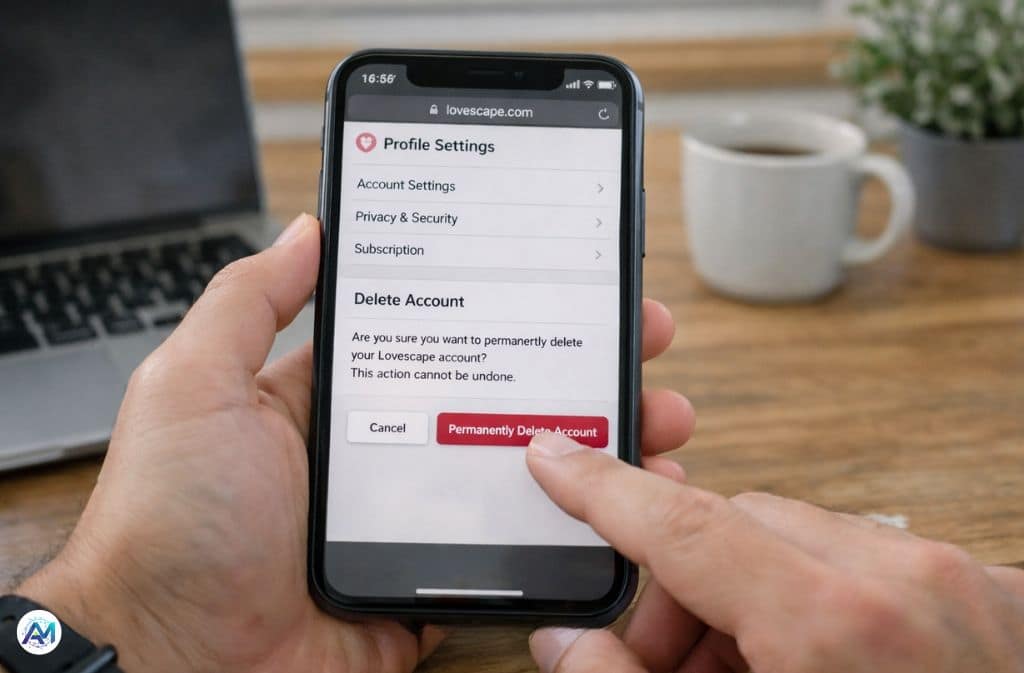
Method 1: Delete Account Through Profile Settings (Fastest Way)
Most users can remove their account directly through dashboard settings.
Step 1 — Log Into Your Account
Enter your user ID and password
Ensure stable internet connection
Step 2 — Open Profile or Account Settings
Look for:
Profile icon (top-right corner)
Account settings menu
Privacy or security tab
User control panel
Step 3 — Scroll to the Bottom of Settings
In 2026, Lovescape moved the Delete Account button to the very bottom of Profile Settings.
Many users miss it because it is below the save or update settings section.
Step 4 — Confirm Identity
You may need to:
Re-enter password
Confirm via email verification link
Enter security verification code
Step 5 — Confirm Permanent Deletion
Once confirmed:
Profile gets scheduled for deletion
Chat access ends immediately
Account removal typically completes within 3–7 days
📱 2026 Mobile App Issue (Common Frustration)
Some users report difficulty locating the delete button on mobile devices.
Testing shows the floating Save Changes footer may block the delete button on certain screen resolutions.
If You Cannot See the Delete Button
Try these solutions:
Rotate phone to Landscape Mode
Enable Desktop Site in mobile browser
Log in using a desktop or laptop
Scroll slowly to the bottom of profile settings
Switching to desktop view usually resolves this issue.
🆘 When the Delete Button Doesn’t Work (Support Method)
If the delete option is missing or broken, contact Lovescape privacy support.
2026 Direct Contact
Include These Details
Registered email
Username or user ID
Clear request for permanent account deletion
Request confirmation email once deletion is completed
Support responses typically arrive within 24–72 hours.
⚠️ The “Ghost Subscription” Warning
Deleting your Lovescape account does NOT automatically cancel billing subscriptions.
This is the most common reason users continue getting charged after deleting their accounts.
How to Cancel Subscription Properly
If Purchased Through Website
Cancel inside:
Billing settings
Subscription dashboard
If Purchased Through Mobile Apps
Cancel using:
Google Play subscription manager
Apple App Store subscriptions
👉 Always cancel billing before deleting your account.
👤 The Shadow Email Problem (Hide My Email Users)
Many users sign up using masked email services such as Apple or Google relay email features.
Why This Matters
Support teams often cannot verify ownership of masked emails.
Recommended Solution
Log into Lovescape first
Delete account inside profile settings
Only contact support if deletion fails
Losing access to masked emails can prevent verification later.
💰 Lovescape Chips Policy (Important Warning)
Lovescape uses in-app currency called Lovescape Chips.
When you delete your account:
Chips are permanently removed
Chips cannot be refunded
Remaining balance disappears instantly
Smart Tip
Use remaining chips before deleting your account.
🧠 What Happens to Your Data After Deletion
Modern AI platforms provide better transparency about user data removal.
Immediately Deleted
Public profile
Dashboard access
Active conversations
User preferences
Temporarily Retained
Some anonymized chat fragments may stay in backend training logs for up to 30 days.
These logs:
Remove personal identifiers
Cannot be traced back to your profile
Exist for system improvement and fraud monitoring
Lovescape Account Deletion Safety Checklist (2026)
Before deleting your account, complete this checklist:
✔ Cancel subscriptions
✔ Spend remaining Lovescape Chips
✔ Remove stored payment methods
✔ Screenshot billing confirmation
✔ Download chat history if needed
✔ Submit deletion request
✔ Save confirmation email
✔ Perform deletion verification test
Also Check: Soulkyn AI Review 2026: The Premium Uncensored AI Companion
Common Problems When Deleting Lovescape AI Account
Delete Option Missing
Try desktop version or contact support.
Still Receiving Emails
Unsubscribe from marketing emails and allow 48 hours processing time.
Subscription Still Active
Cancel via payment provider dashboard.
Account Still Allows Login
Deletion may be pending. Most systems finalize removal within 7–14 days.
✅ How to Verify Lovescape Account Was Fully Deleted
This is the easiest confirmation method.
10-Day Verification Test
Wait 7–10 days after deletion request
Try resetting your password
Enter registered email
Results
| System Response | Meaning |
|---|---|
| Email not found | Account successfully deleted |
| Reset link sent | Deletion likely incomplete |
Temporary Alternative: Disable Instead of Delete
Some users prefer partial privacy instead of full deletion.
You can:
Log out of all devices
Remove personal details
Turn off notifications
Remove saved payment data
This allows you to return later without creating a new account.
2026 AI Privacy Trends You Should Know
AI companion platforms are facing increased privacy regulations and user awareness.
Recent changes across the industry include:
Faster deletion response times
Transparent data retention disclosures
Easier account privacy dashboards
More user-controlled data removal options
These changes are pushing platforms toward better transparency and user trust.
Real User Scenario
Many users test multiple AI chatbot platforms before selecting one.
A common experience includes:
User deletes Lovescape profile
Subscription remains active via mobile billing
Charges continue until billing cancellation is completed
This shows why subscription cancellation must always be handled separately.
Mistakes to Avoid When Deleting Lovescape AI Account
Deleting Only the App
App removal does not delete server-stored account data.
Forgetting Subscription Cancellation
Billing may continue even if account disappears.
Using Incorrect Email During Support Request
Support teams cannot verify account ownership.
Skipping Confirmation Email
Always keep written confirmation for billing or privacy disputes.
FAQs
Q. Is Lovescape AI legit?
Lovescape operates as an AI companion chatbot platform. User satisfaction typically depends on expectations, subscription clarity, and privacy comfort level.
Q. Is Lovescape AI safe?
The platform uses standard login and privacy policies, but users should avoid sharing sensitive personal information with AI chat services.
Q. Is Lovescape AI free?
Lovescape offers limited free features. Advanced customization and extended messaging usually require premium subscriptions.
Q. How long does Lovescape take to delete accounts?
Most deletion requests complete within 3–7 days, though some data logs may remain temporarily for system security.
Q. Can I recover my account after deletion?
Usually not. Once deletion is completed, users must create a new account to return.
Q. Can I delete my Lovescape AI account without logging in?
Yes. Contact support using your registered email and request full account deletion.
Q. Will my chat history be permanently deleted?
Most conversations are deleted immediately, though anonymized system logs may remain briefly for AI training or security purposes.
Conclusion
Understanding how to delete Lovescape AI account is simple once you follow the correct sequence. Most users can remove their accounts directly through settings, but the safest process includes canceling subscriptions, spending remaining in-app currency, and confirming deletion success.
Key takeaways:
Cancel billing before deleting your account
Use desktop mode if delete option is hidden
Expect short data retention periods
Verify deletion using password reset test
Following this complete checklist ensures your Lovescape AI account is permanently removed and your personal data is protected.
Related: Joyland AI: The Viral AI Chat World Everyone’s Talking About