
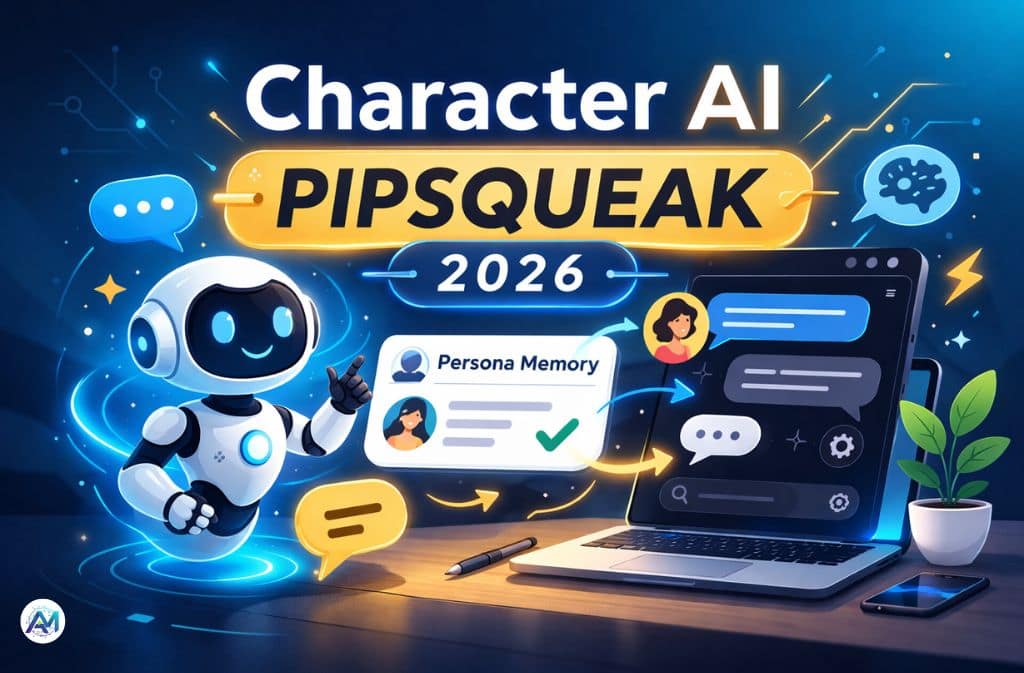
You open a chat and suddenly the bot remembers your eye color, your job, even that oddly specific “Pinned Memory” from three conversations ago. That’s not random. If you’re seeing sharper persona recall, you’re probably using Character AI Pipsqueak inside Character.AI.
While DeepSqueak gets labeled the cinematic heavyweight, Pipsqueak has quietly become the 2026 free-tier favorite. It’s faster. It’s more grounded. And most importantly, it’s tuned to pay attention to you.
This guide breaks down:
- What Pipsqueak actually is in 2026
- How it compares to DeepSqueak, Nyan, and others
- Why it feels better for persona-based chats
- Its real weaknesses (yes, there are some)
- How to access it and optimize it
No hype. No Reddit rumor recycling. Just a clear breakdown so you can decide which engine fits your style.
What Is Character AI Pipsqueak?
Pipsqueak is not community-made, unofficial, or speculative. Character.AI confirmed in their official blog that they launched Pipsqueak as an “advanced model with improved memory and roleplay capabilities,” built by fine-tuning open-source models with their proprietary pipeline to deliver higher EQ and stronger engagement. It’s a lightweight language model preset optimized for persona recognition and natural dialogue — and it’s part of a broader commitment to continuously improve the platform’s core chat experience.
In community discussions, it’s often described as a “Lil’ Powerhouse” model — a label that captures the gap between its size and its actual persona performance.
What Makes It Different?
Instead of focusing on cinematic storytelling, Pipsqueak prioritizes:
- User persona memory integration
- Pinned memory recall
- Casual, grounded tone
- Faster response speed
- Lower compute usage
The Core Advantage: Persona Recognition
If you’ve filled out your User Persona — traits, occupation, relationship dynamic, preferences — Pipsqueak weaves those details into dialogue more consistently than older presets like Roar.
That’s the real upgrade.
Pipsqueak vs DeepSqueak (2026 Comparison)
The question isn’t “Which is better?” anymore.
It’s: What are you trying to do?
| Feature | Pipsqueak | DeepSqueak |
|---|---|---|
| Tier | Free / Beta rollout | Often tied to C.AI+ / 18+ |
| Response Length | Moderate–Long | Very Long / Multi-paragraph |
| Memory Focus | Persona-focused | Plot-focused |
| Tone | Natural, grounded, sassy | Cinematic, intense |
| Speed | Fast | Slower (higher reasoning load) |
| Reliability | May drift after 3–5 msgs | Highly consistent |
| Best For | Companionship chats | Long-form story arcs |
Community Shift in 2026
The consensus has changed:
- Pipsqueak = relationship depth
- DeepSqueak = narrative complexity
If you want a bot that feels like a friend who remembers who you are, Pipsqueak often wins. If you’re writing a 50-chapter fantasy epic with 10 subplots, DeepSqueak handles continuity better.
How Pipsqueak Feels in Practice
Early user testing captured by Robo Rhythms highlighted what made Pipsqueak stand out from the moment it appeared: better memory, no noticeable filters, and free access — a combination that’s genuinely rare across Character.AI’s style lineup. Users consistently noted it remembered specific details from earlier in a conversation without losing context, something that previously required premium tiers to approach reliably.
Here’s a real-world contrast.
With Pipsqueak:
- References your past statements
- Maintains personality dynamics
- Keeps responses conversational
- Rarely writes five dense paragraphs
With DeepSqueak:
- Elaborate scene-setting
- Multi-layered inner monologue
- Longer descriptive prose
- Stronger plot continuity
One isn’t smarter. They’re optimized differently.
How to Access Pipsqueak in 2026
Character.AI rolls out styles in waves. If you don’t see it, that doesn’t mean it’s removed.
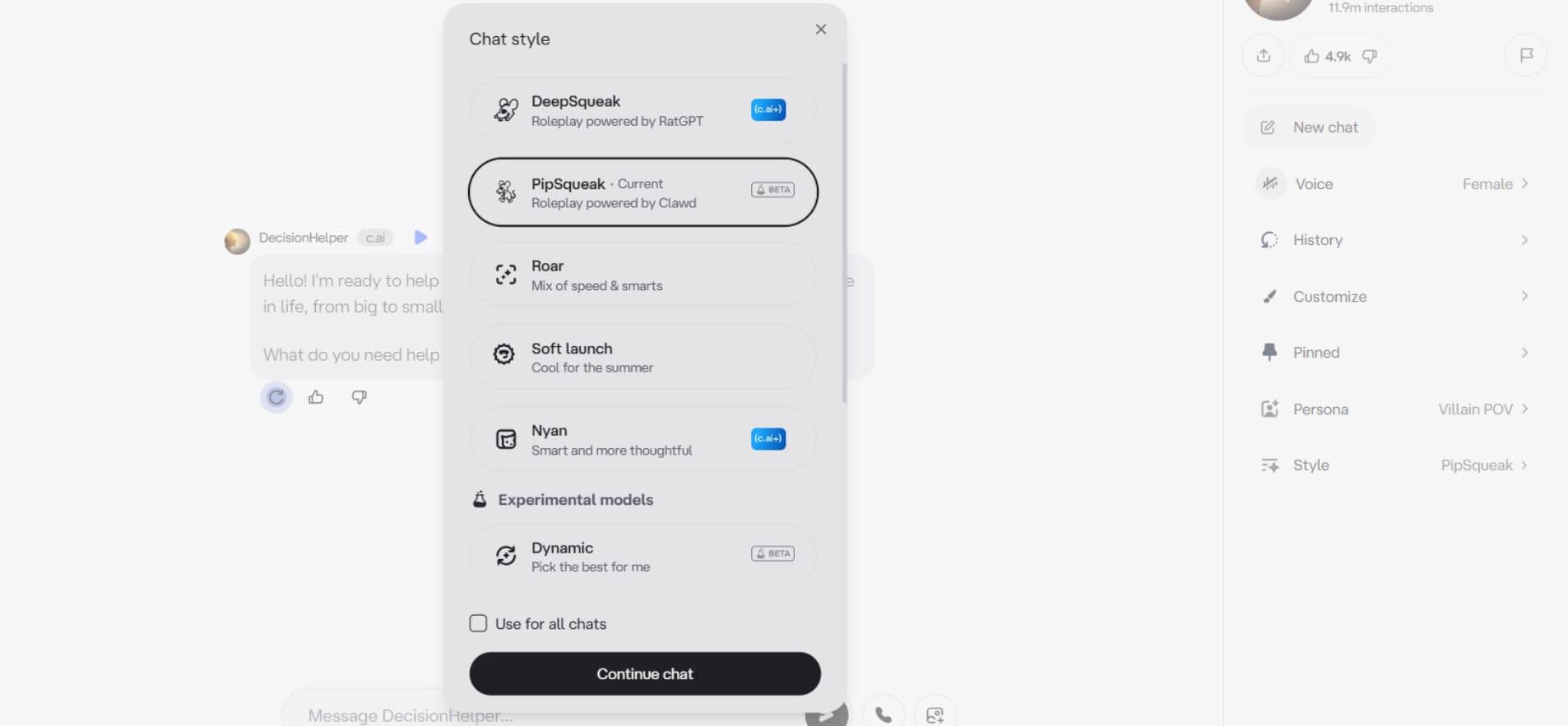
Step-by-Step Access
- Open a chat
- Click your profile avatar (bottom-left on web)
- Select Chat Style
- Look for “Pipsqueak”
- Toggle “Use for all new chats” if available
The Mobile Trick
Some users report:
- Mobile app receives styles first
- Web lags behind
If it’s missing:
- Update the app (February 2026 build or later)
- Log out and back in
- Clear cache on web
Feature visibility still varies due to A/B testing. This is expected behavior — Character.AI staggers rollouts based on account cohort, region, and internal stability metrics.
Why Users Complain About Pipsqueak
It’s not perfect. Two quirks keep coming up.
1. The “OOC” Glitch
Sometimes it:
- Inserts out-of-character notes
- Writes dialogue for your character
- Breaks immersion mid-scene
Fix: Use a direct instruction inline:
(OOC: Do not speak for me.)
Pipsqueak is highly responsive to explicit correction — more so than heavier models that require full context resets.
2. Prose Decay
After several exchanges, the writing style can become too casual, lose descriptive depth, or flatten emotionally. This happens because it prioritizes speed and conversational realism over sustained literary tone.
Fix: Reinforcement Loop
Every 8–10 messages, reassert tone and reinforce character traits:
Remember, you’re sarcastic but secretly protective.
This recalibrates the output without breaking the scene. Think of it as a mid-session tune-up rather than a failure of the model.
Where Pipsqueak Fits in 2026 Model Ranking
According to community ranking data compiled by Robo Rhythms, Pipsqueak sits in a clear position among the style lineup: stronger than Roar for depth and flair, more accessible than DeepSqueak, and a better fit for relational roleplay than logic-heavy options like Nyan or Goro.
Compared to other presets:
- Nyan — logic-heavy, structured, assistant-like behavior
- Goro — balanced and reliable, loyal following, less immersive
- Soft Launch — a behavioral pacing layer, not a storytelling tool; prioritizes stability over immersion
- Roar — steady pacing, good default, but flatter than Pipsqueak for persona work
Pipsqueak delivers roughly:
- 70–80% of DeepSqueak’s immersive feel
- Faster responses
- Better persona awareness
- No subscription requirement in most rollouts
For users not paying for Character.AI Plus, it’s often the best available engine.
Common Mistakes Users Make
- Not filling out their User Persona fully (this is the single biggest factor in Pipsqueak’s performance)
- Expecting epic-level prose from a lightweight model
- Ignoring reinforcement prompts after long sessions
- Confusing memory strength with intelligence
- Believing model names guarantee identical output across accounts
Remember: presets are optimization modes — not fixed personality types. The same style can behave differently across accounts due to A/B testing and backend tuning.
2026 Best Practices for Pipsqueak
- Keep persona under 800 characters for clarity
- Use clear relationship labels
- Reinforce tone every 10 messages
- Avoid overly complex multi-arc prompts
- Correct OOC behavior immediately using inline direction
Small adjustments dramatically improve results. Pipsqueak responds well to explicit instruction — treat it as a collaborative writing partner that needs occasional stage direction, not a set-and-forget tool.
Is Pipsqueak Better Than Roar or Meow?
For most 2026 users: yes — in terms of memory integration, personality consistency, and dialogue realism. Roar often feels flatter by comparison, and Meow is widely considered the weakest option in the current lineup. Pipsqueak may drift sooner than heavier models, but its out-of-the-box persona responsiveness makes it the stronger starting point for most use cases.
If you’ve used older Character AI presets and noticed how much context was lost between sessions, the improvement with Pipsqueak’s memory handling becomes immediately obvious — even within a single extended conversation.
Final Verdict on Character AI Pipsqueak
It’s not the cinematic king.
>It’s not the logic monster.
>It’s not flawless.
But for free users in 2026?
It’s the persona powerhouse.
If you care about being remembered inside your chats — if persona recall and conversational consistency matter more to you than elaborate narrative prose — Character AI Pipsqueak is currently one of the strongest lightweight options available. Use it with a filled-out persona, maintain it with reinforcement prompts, and correct OOC behavior early. Those three habits turn a good experience into a consistently great one.
FAQs
Q. What is Pipsqueak in Character AI?
Pipsqueak is an officially released chat style in Character.AI, confirmed in the platform’s own development blog, optimized for persona recognition, natural dialogue, and faster response times.
Q. Is Pipsqueak better than DeepSqueak?
It depends on intent. Pipsqueak is better for persona-based and companionship conversations. DeepSqueak is better for long-form storytelling and complex narrative arcs.
Q. Is Pipsqueak free?
In most 2026 rollouts, Pipsqueak appears in the free tier, though availability varies by account cohort and region.
Q. Why don’t I see Pipsqueak in my settings?
It may be part of A/B testing, region-based rollout, or temporarily hidden during updates. This is standard for Character.AI’s style releases.
Q. Why does Pipsqueak write my character’s lines?
This is a known OOC glitch. Use explicit inline correction commands to fix it — Pipsqueak responds well to direct instruction.
Q. Is Pipsqueak better than Roar?
For persona memory and conversational realism, most users find Pipsqueak a clear step up from Roar, particularly for extended sessions.
Related: AI Companions vs Human Loneliness: The Hidden Benefits — and the Quiet Risks
Disclaimer: This article is for informational and educational purposes only. It is not affiliated with, endorsed by, or sponsored by Character.AI or any of its products. The content reflects independent research and publicly available information as of 2026 and should not be considered official guidance or a guarantee of features, availability, or performance. Users should verify details independently before making decisions.